
Home > Color > Sherwin-Williams
Sherwin-Williams Paints
Sherwin-Williams Paints offer a terrific online free color visualization tool and give you some great wall color ideas.
I went to the Sherwin-Williams website and launched their Color Visualizer. You don't have to register or log in but if you do, you will be able to save your work later.
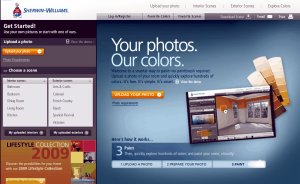
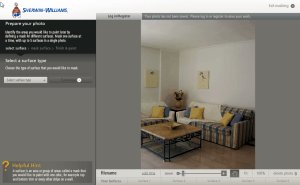
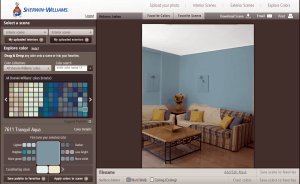
I uploaded a photo as requested - a much better option that some companies who just offer a generic room setting for you to 'play' with.
I selected 'wall' from the options and, using the masking area tools, drew lines around the areas to paint.
I repeated the process for the ceiling then clicked 'paint now'.
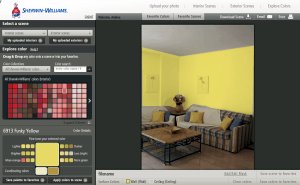
It was then easy to scroll through the huge selection of Sherwin-Williams paint colors before finding a color I liked.
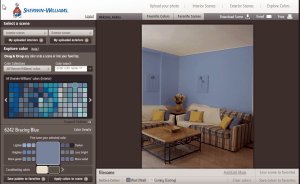
Having selected that color, I dragged and dropped it onto the wall.
If it doesn't look quite right, you can fine tune it using the suggested options on the screen such as lighter, brighter, darker and so on.
You can then repeat the process and drag and drop a color onto the ceiling if you wish.
OK, so I have a confession to make - I watched the demo video after I used the tool rather than before.
It is worth you spending 5 minutes doing so as you will end up with a better result.
It is not hard to do anyway but it shows you how to easily exclude parts of the picture - pictures on the wall for example - when you mask an area to be painted.
On the whole, I found this a very easy to use tool that really does show you how a room will look with various different colors on the wall.
Using a tool like the Sherwin-Williams Color Visualizer will show you how a room can look with various color schemes and may just throw up a few new ideas that you otherwise wouldn't have considered.
It may be that you are nervous to use a strong or bright color for a feature wall and this is a free way for you to see how the end result will look.


Can't find what you're looking for?
Search here:










Enjoy this page? Please pay it forward. Here's how...
Would you prefer to share this page with others by linking to it?